Fragmented workflows
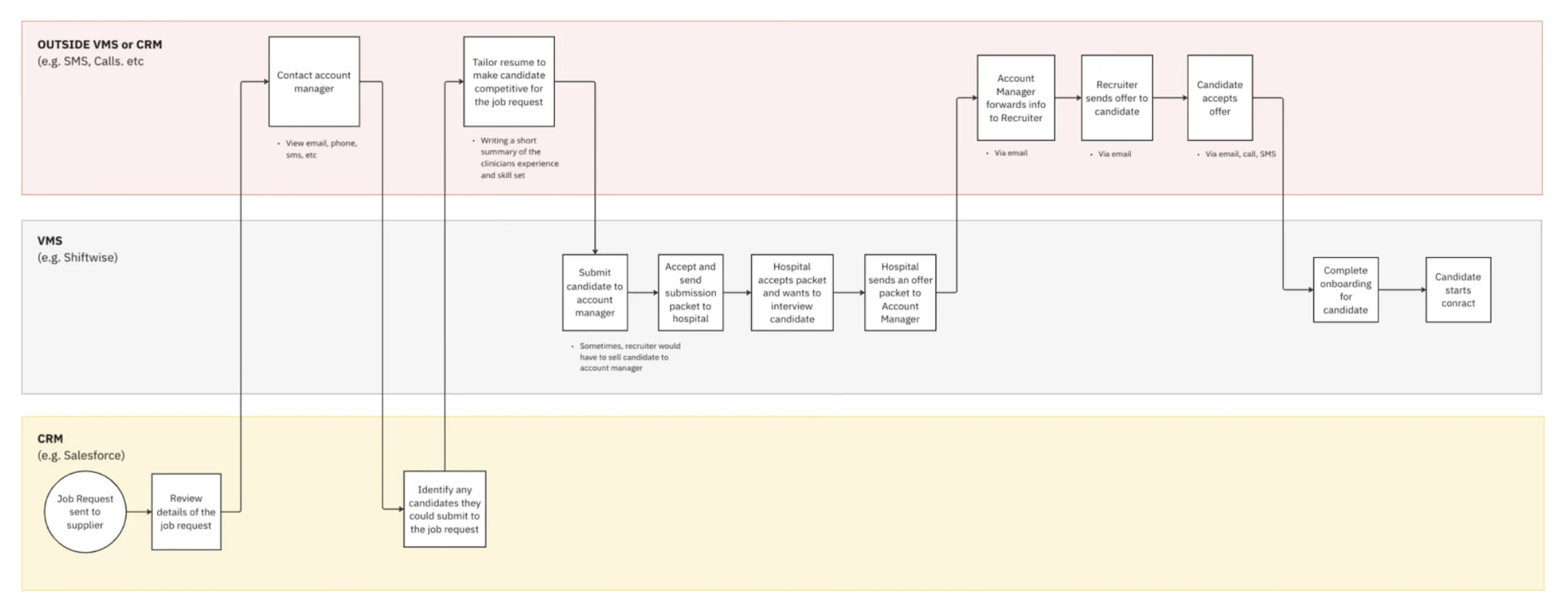
Trusted Health is a marketplace that matches healthcare workers (supply) with open job requests from various healthcare systems (demand). To do so, we partner with multiple MSPs (managed service providers) to source demand and each company employs some combination of VMS (vendor management software) and CRM tools to track job requests and manage supply.
Identifying opportunities
In its two years of operation, we identified:
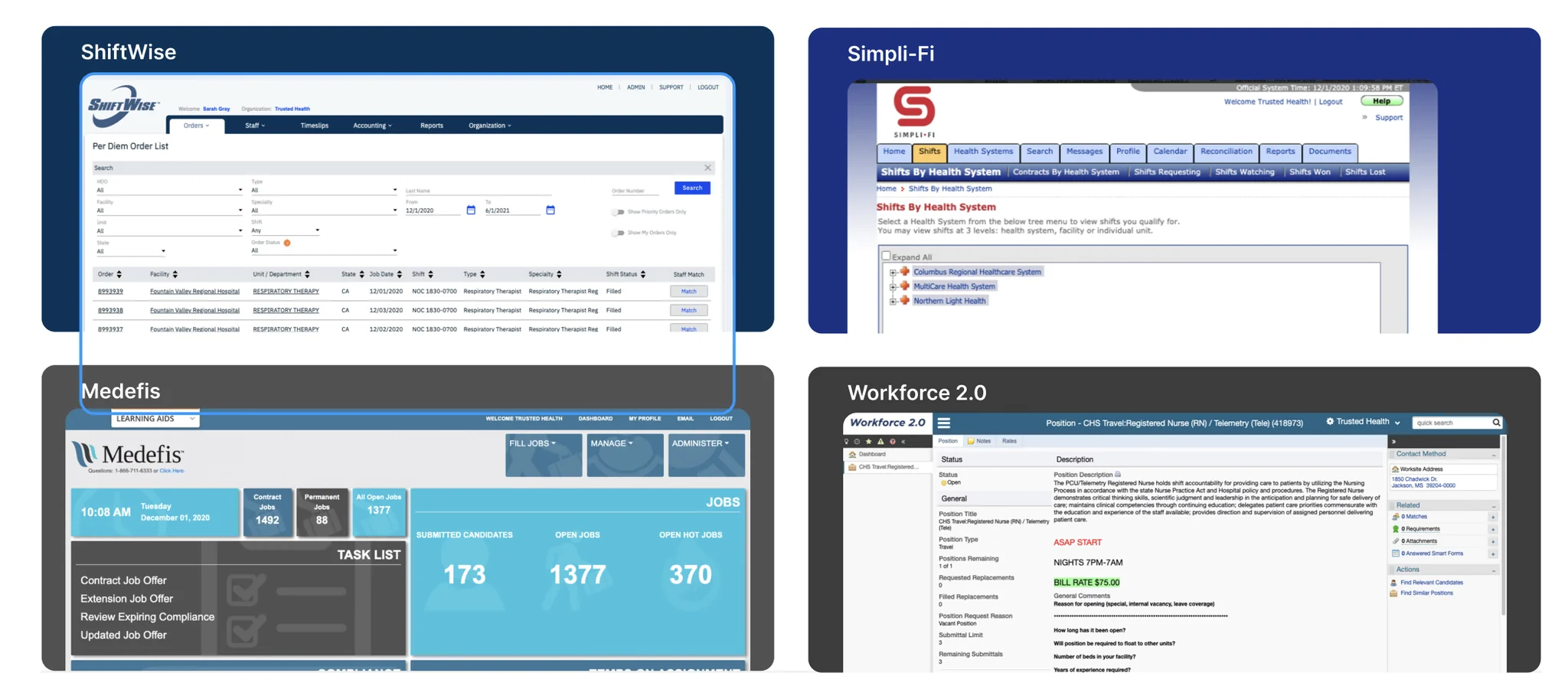
- Many of the tools were very outdated and created without the end-users in mind
- Machine learning and AI could help healthcare systems predict and plan for staffing shortfalls
- Some of the MSPs have cobbled together various tools to manage jobs, candidates, billings, and reporting, e.g. CRM, VMS
- Many of the smaller healthcare staffing firms, like Trusted, or MSPs are using VMS tools not meant for healthcare, e.g. Wand
Where we see ourselves in a year
- Enable best-in-class time-to-fill for flexible labor, less than 5 weeks
- Fill staffing needs most efficiently by leveraging predictive analytics to manage float pools and supplier networks.
Where do we start?
Our head of product at the time had experience building out a VMS software platform from 0 to 1 during his time at Magnit (formerly called ProUnlimited), where he helped create Wand. This was primarily a platform to manage the contingent workforce for companies like Facebook, Google, etc. Although we had an idea of what features and flows our VMS should have, we needed to further narrow the scope to what we could design, build, and launch with our partner hospital in six months.
To help narrow our feature set and develop empathy for suppliers and hiring managers I interviewed Trusted internal employees and clinical leaders at Texas Children’s Hospital.
Such conversations allowed me to understand the ins and outs of how a staffing request is created and managed from a hiring manager’s viewpoint, and how suppliers try to fill such requests by submitting and managing potential candidates.
Actionable insights
- Program managers are sometimes used in lieu of hiring managers
- Suppliers have a different workflow altogether
Synthesized insights
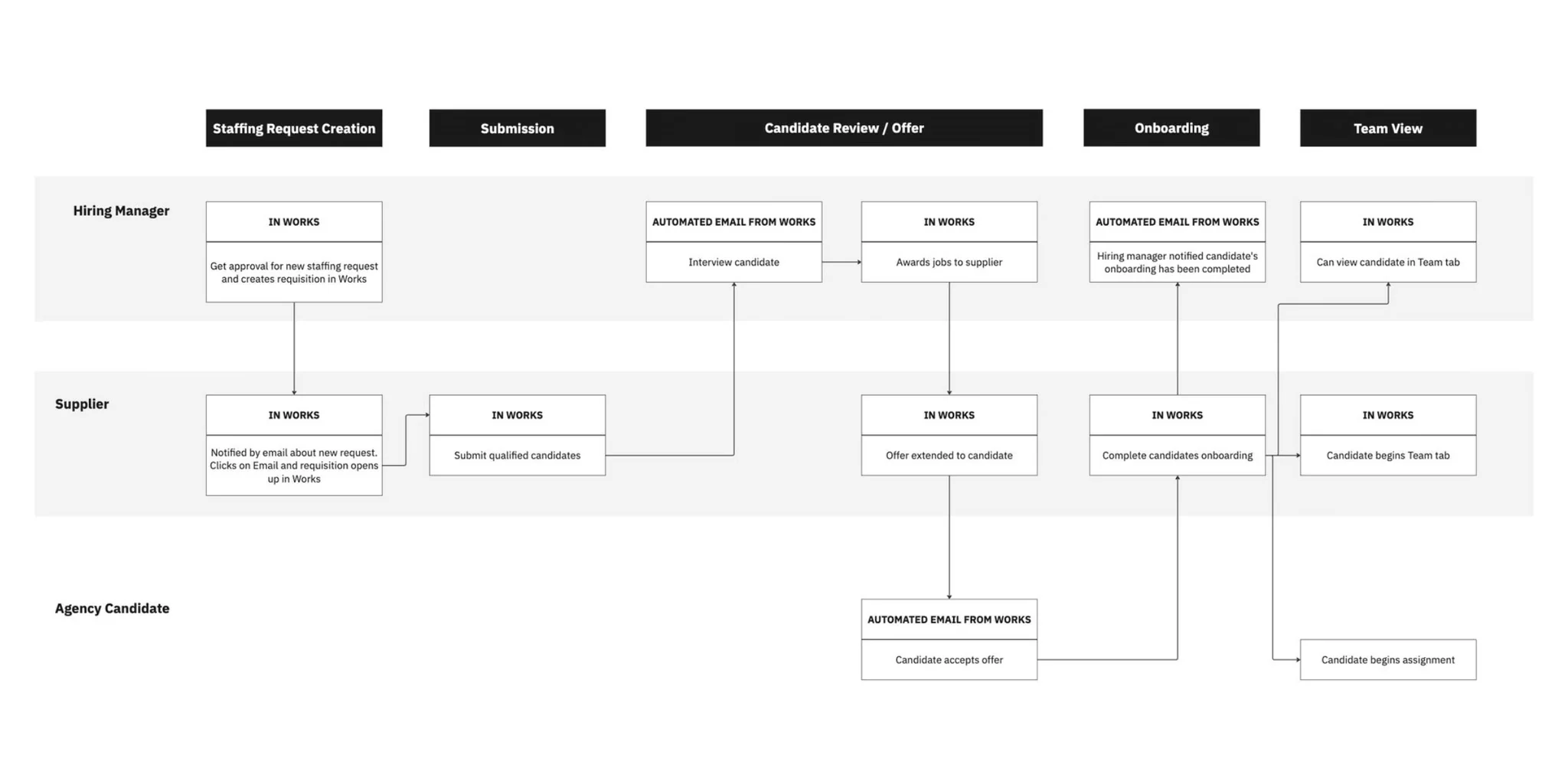
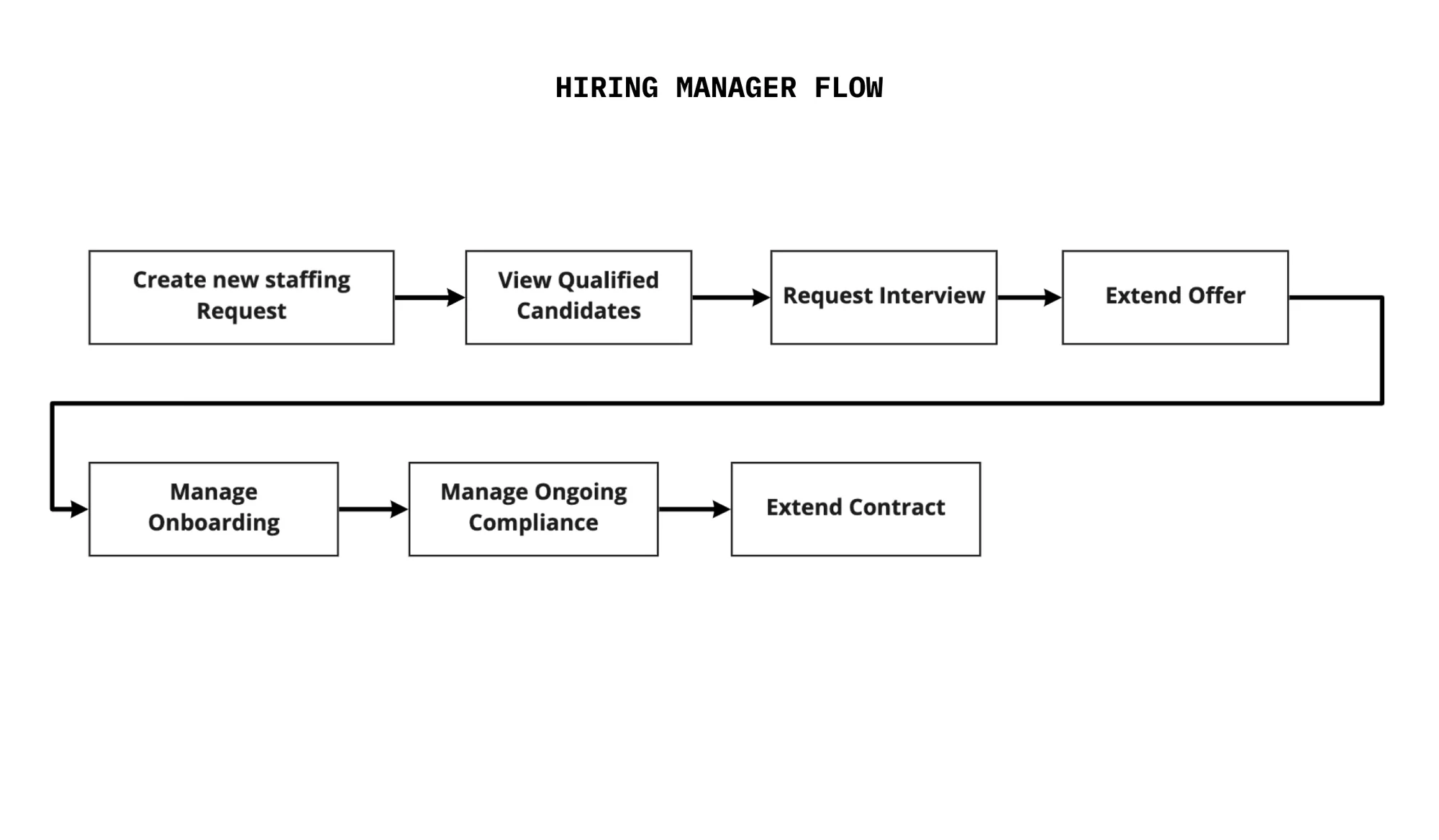
After chatting with both sets of users, I mapped out the flow for creating and filling a staffing request.
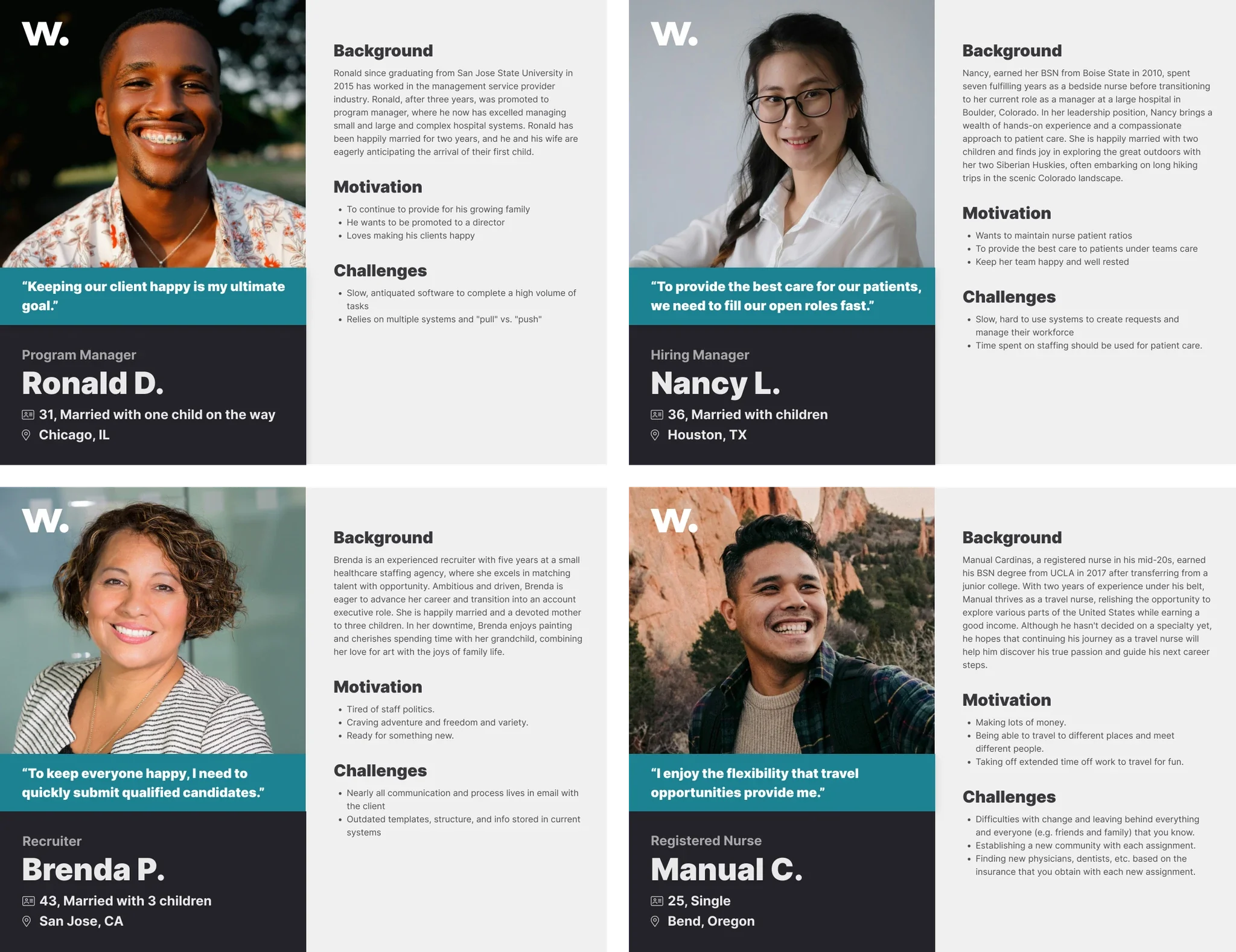
Additionally, I identified four key personas to consider when designing.
What should we build first?
Client admin experience
For client admins, hiring managers and program managers, we identified that our MVP product needed to:
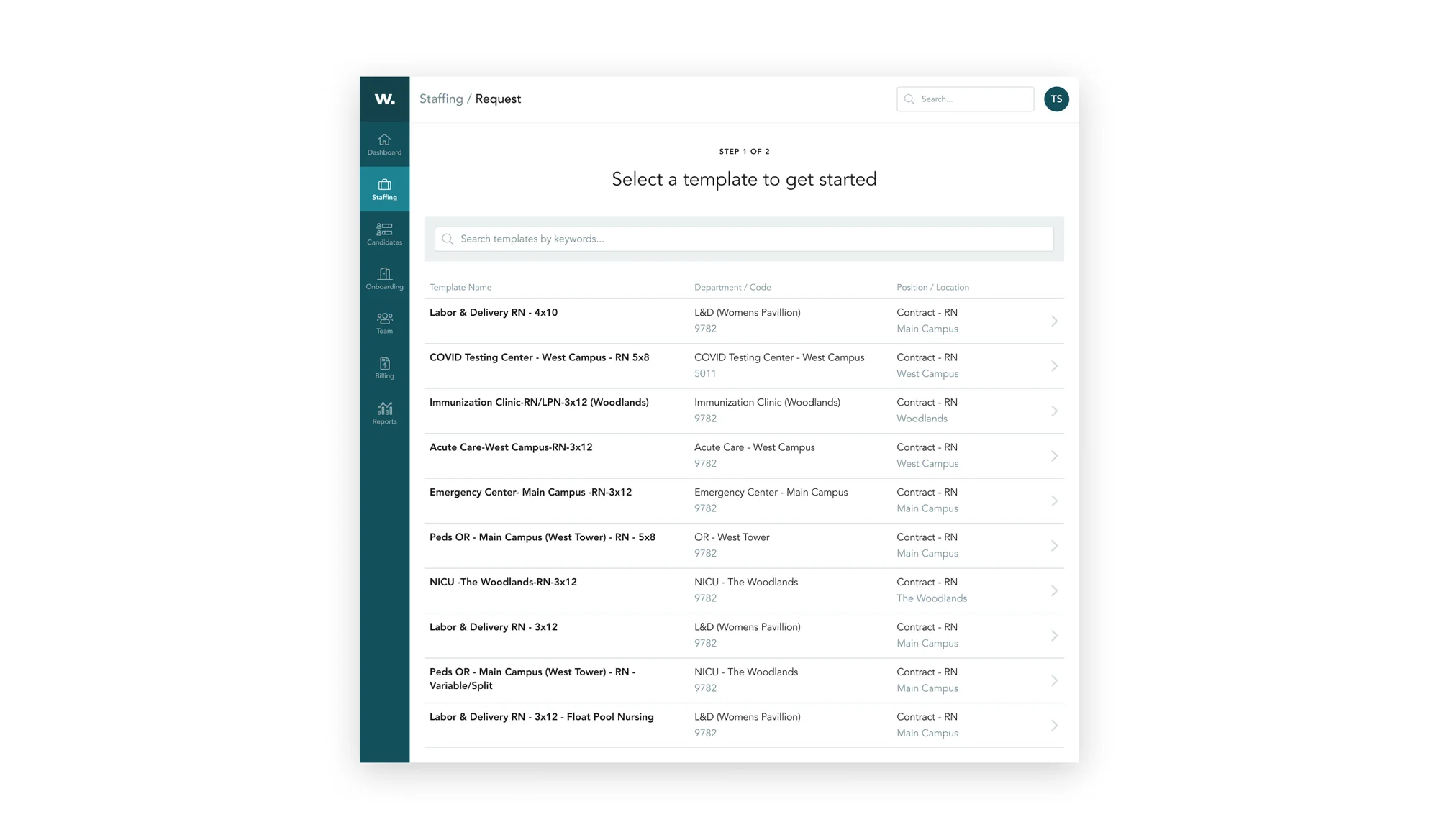
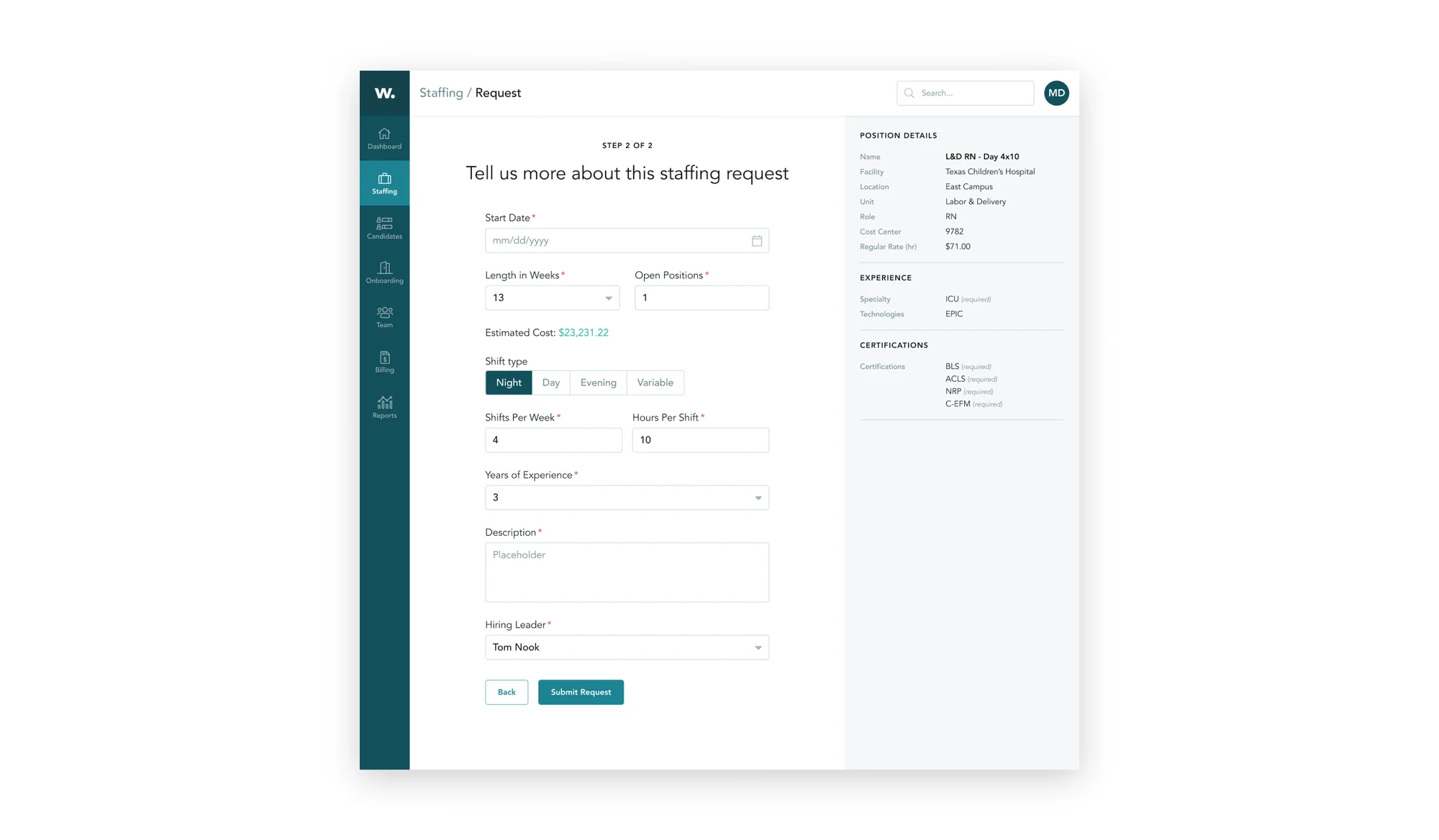
- Create new staffing requests
- View qualified nurses
- Have visibility on interviewing and onboarding funnel
- Request an interview, extend an offer
Supplier experience
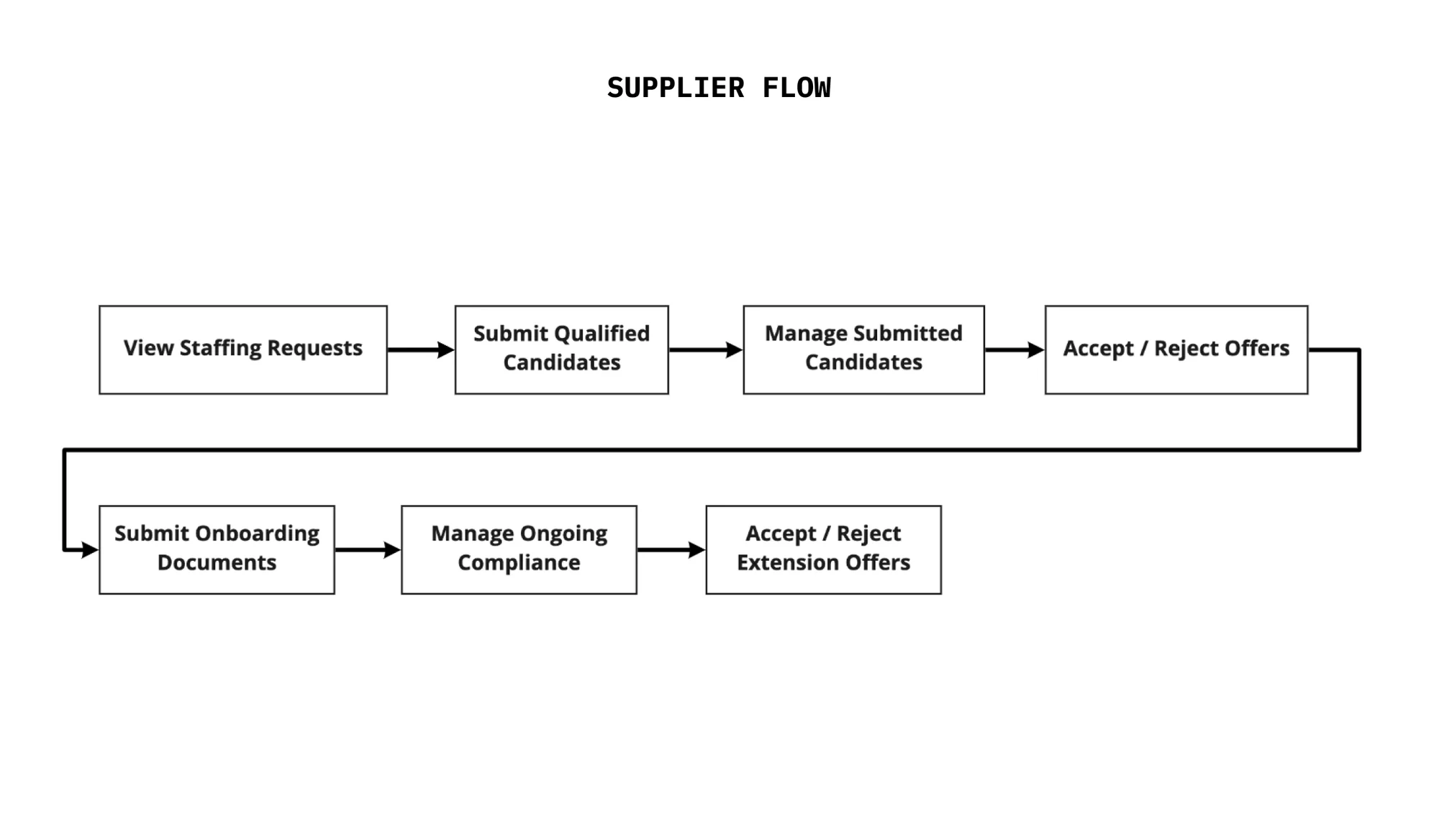
For the supplier experience, based on research the team had done before I joined and my own user interviews, we decided at the very minimum a supplier user needed to:
- Add new nurses to the pool
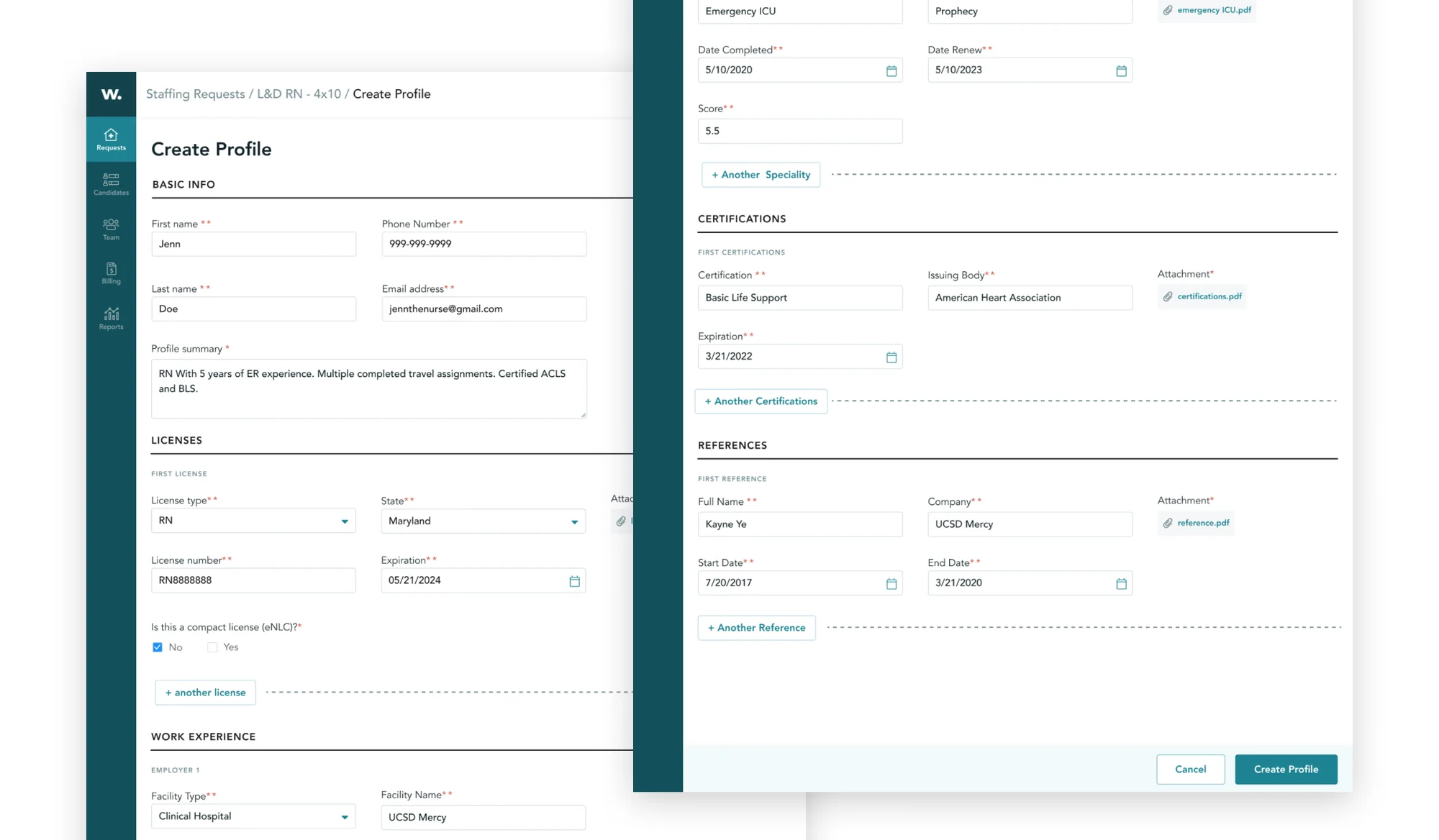
- Add nurse details: name, licenses, etc
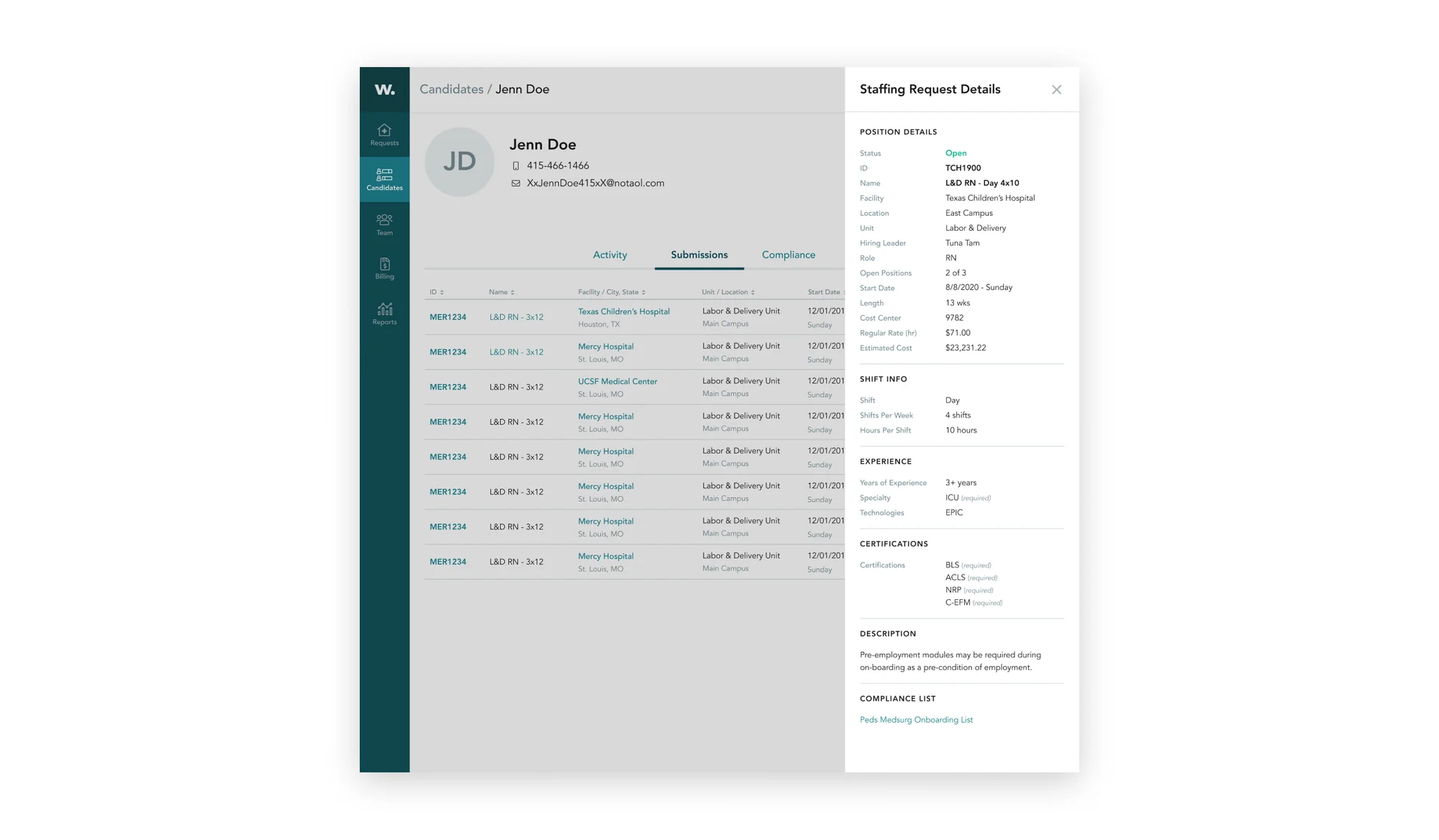
- View open jobs
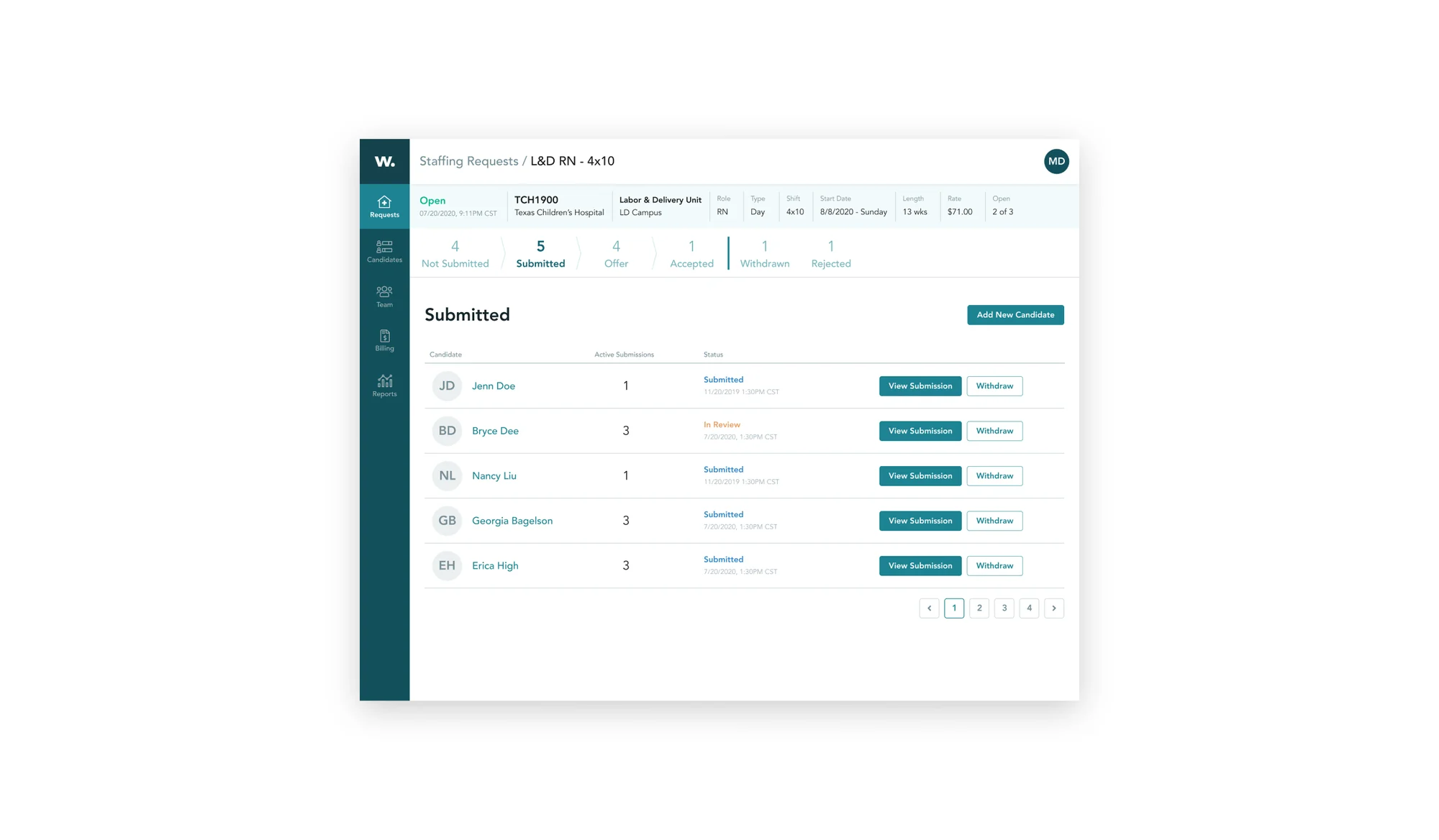
- Submit qualified nurses
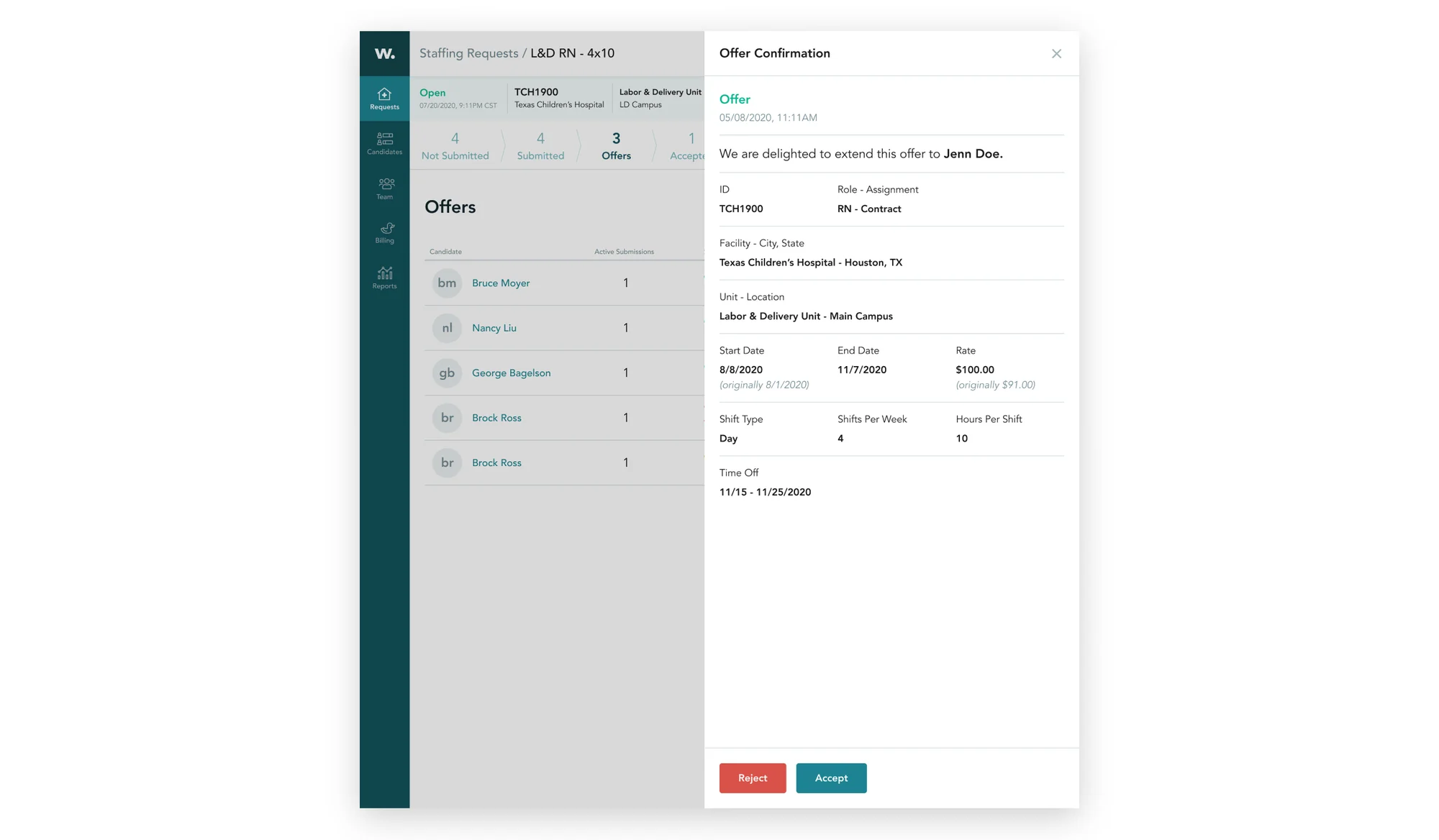
- Accept or reject interview requests and offers
Hiring manager experience
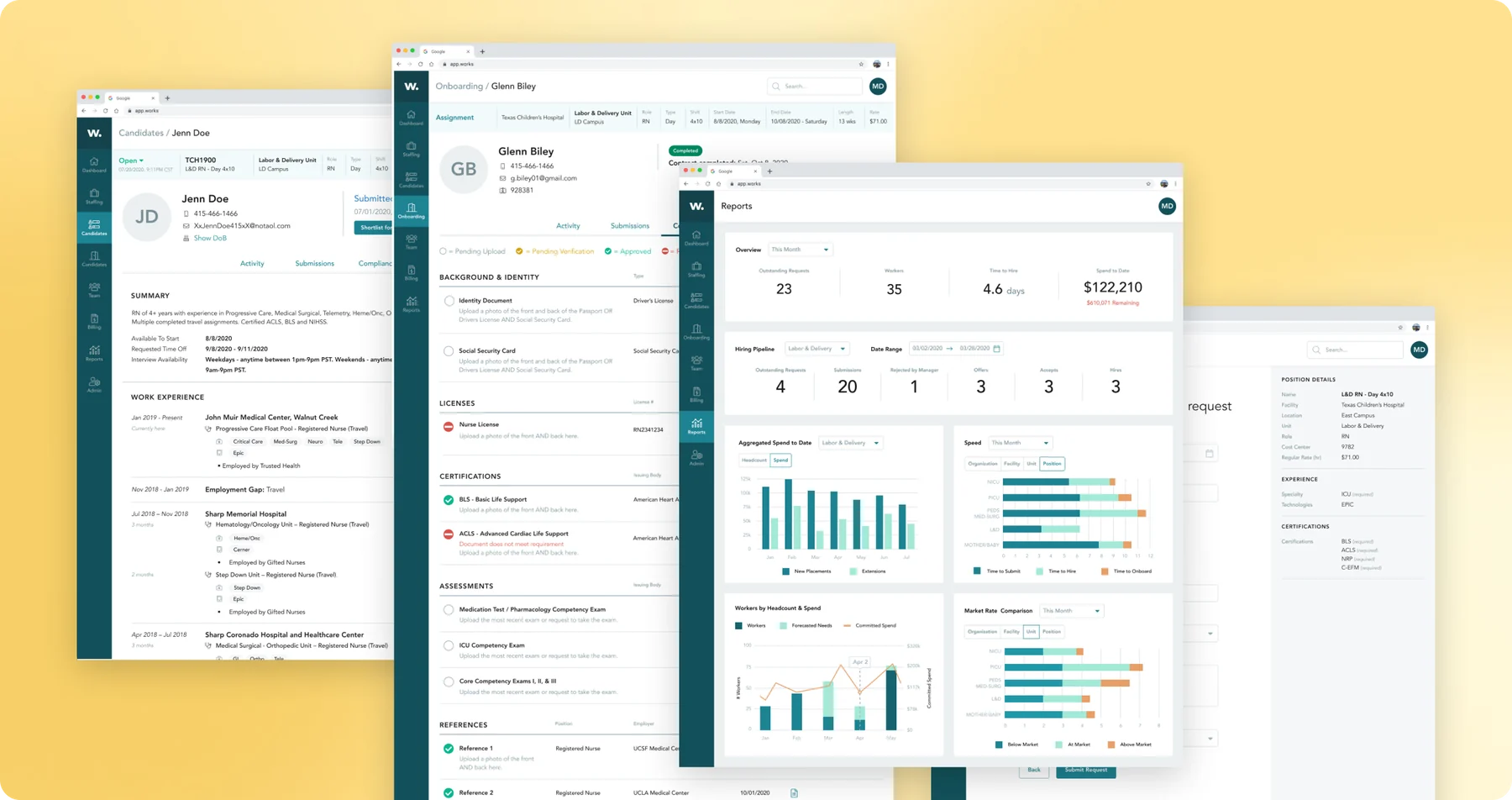
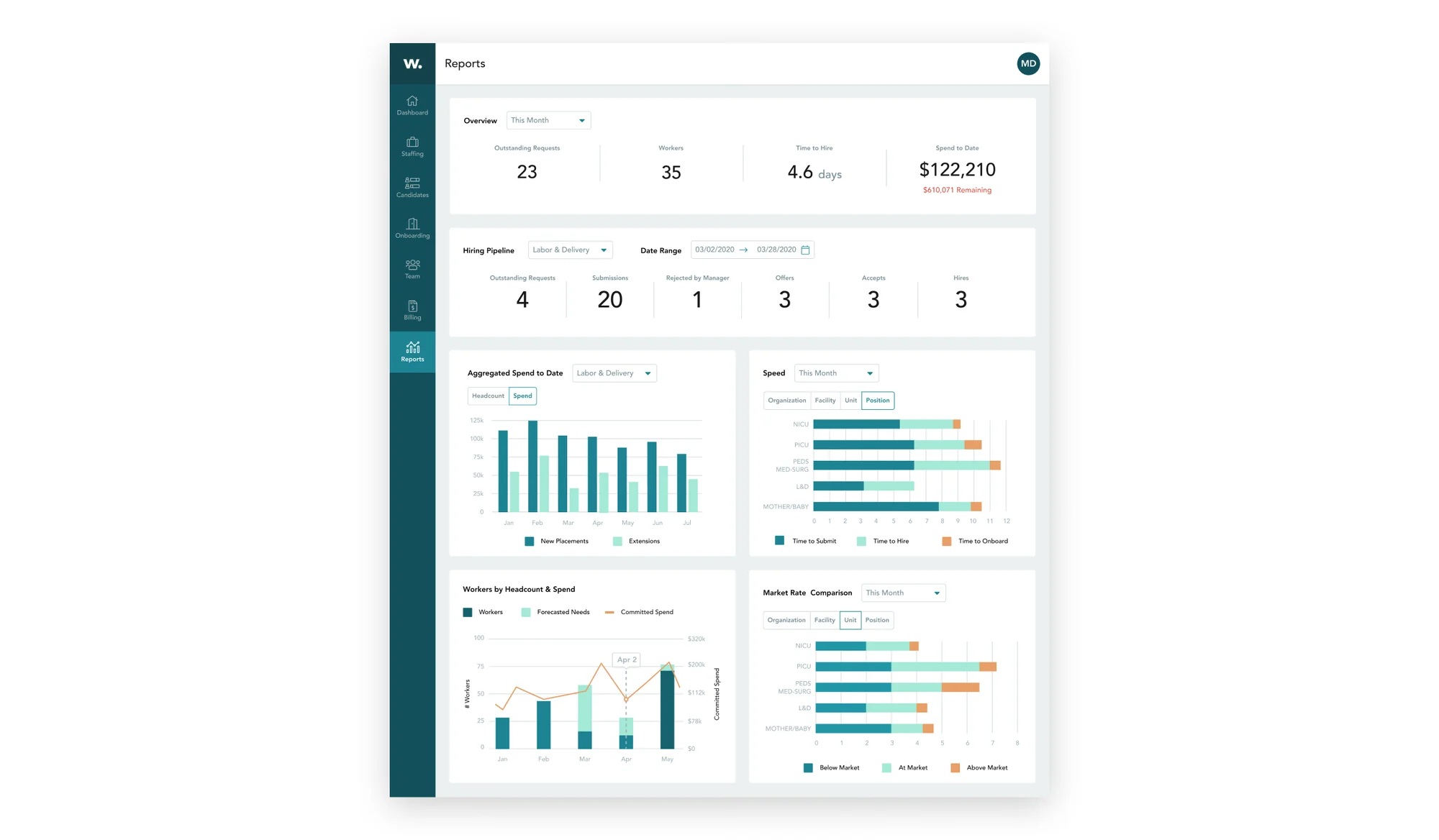
From left to right, it demonstrates an end-to-end experience from opening a new staffing request to viewing qualified candidates to requesting interviews and managing their onboarding to analyzing data.
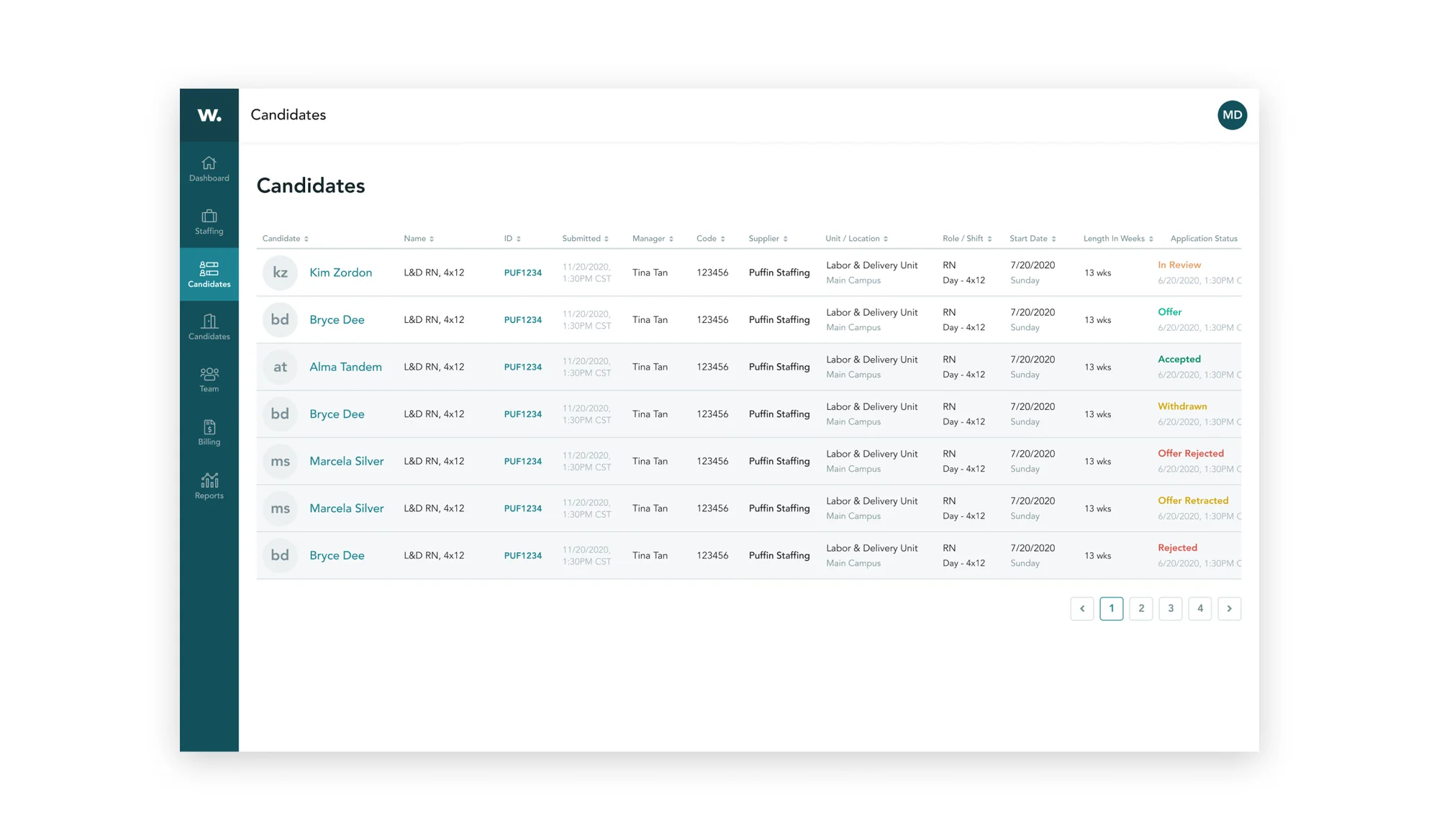
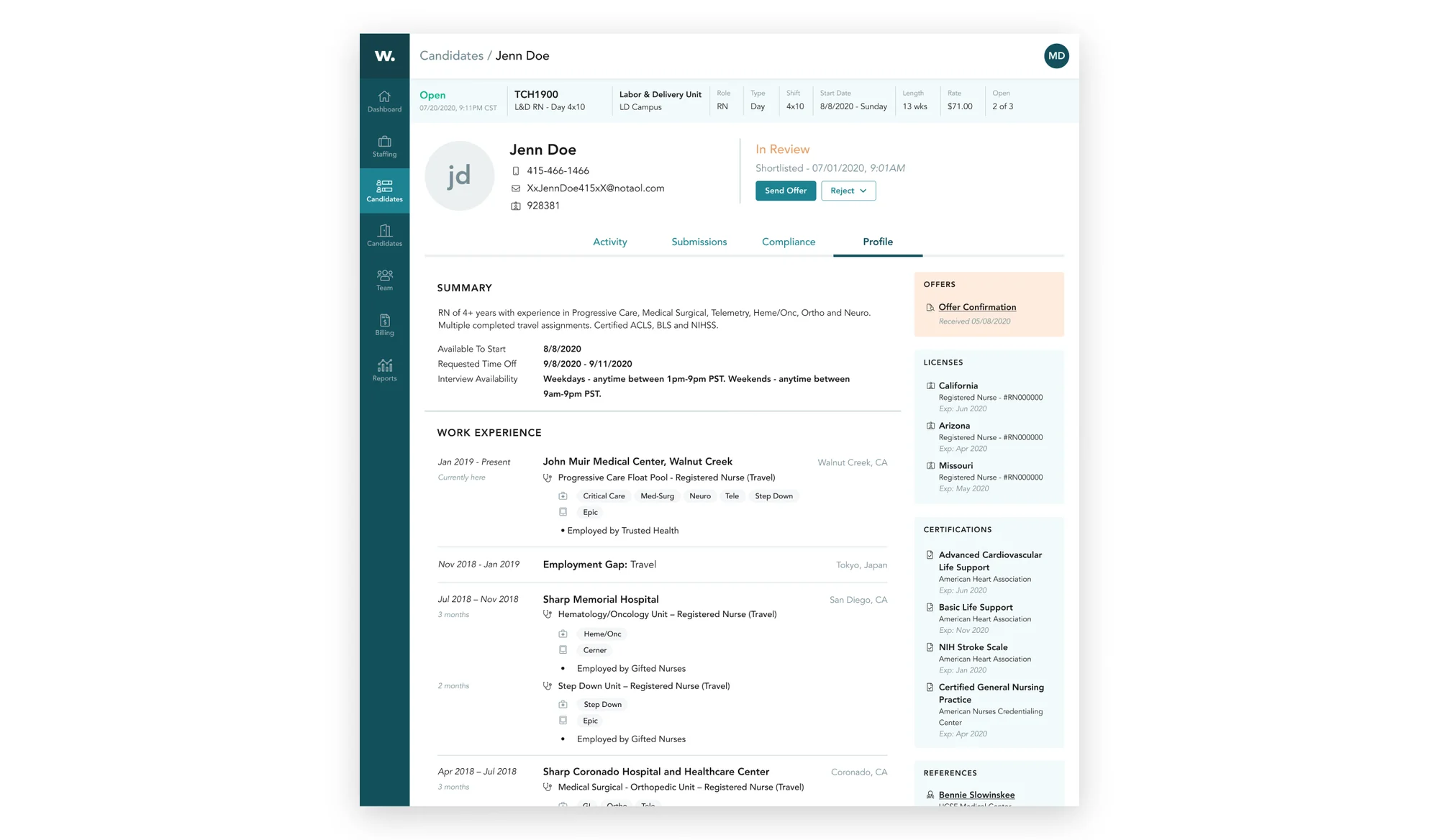
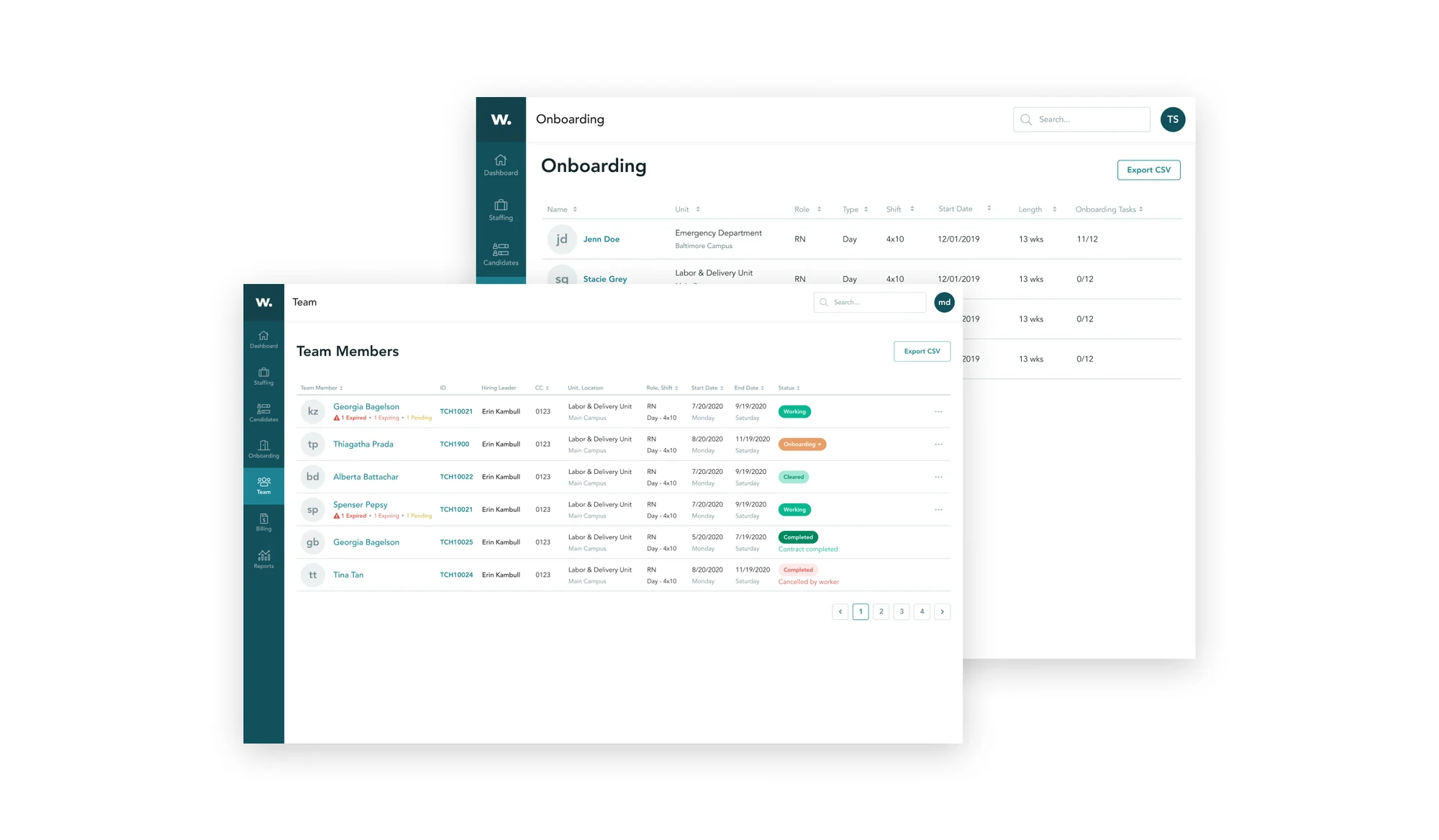
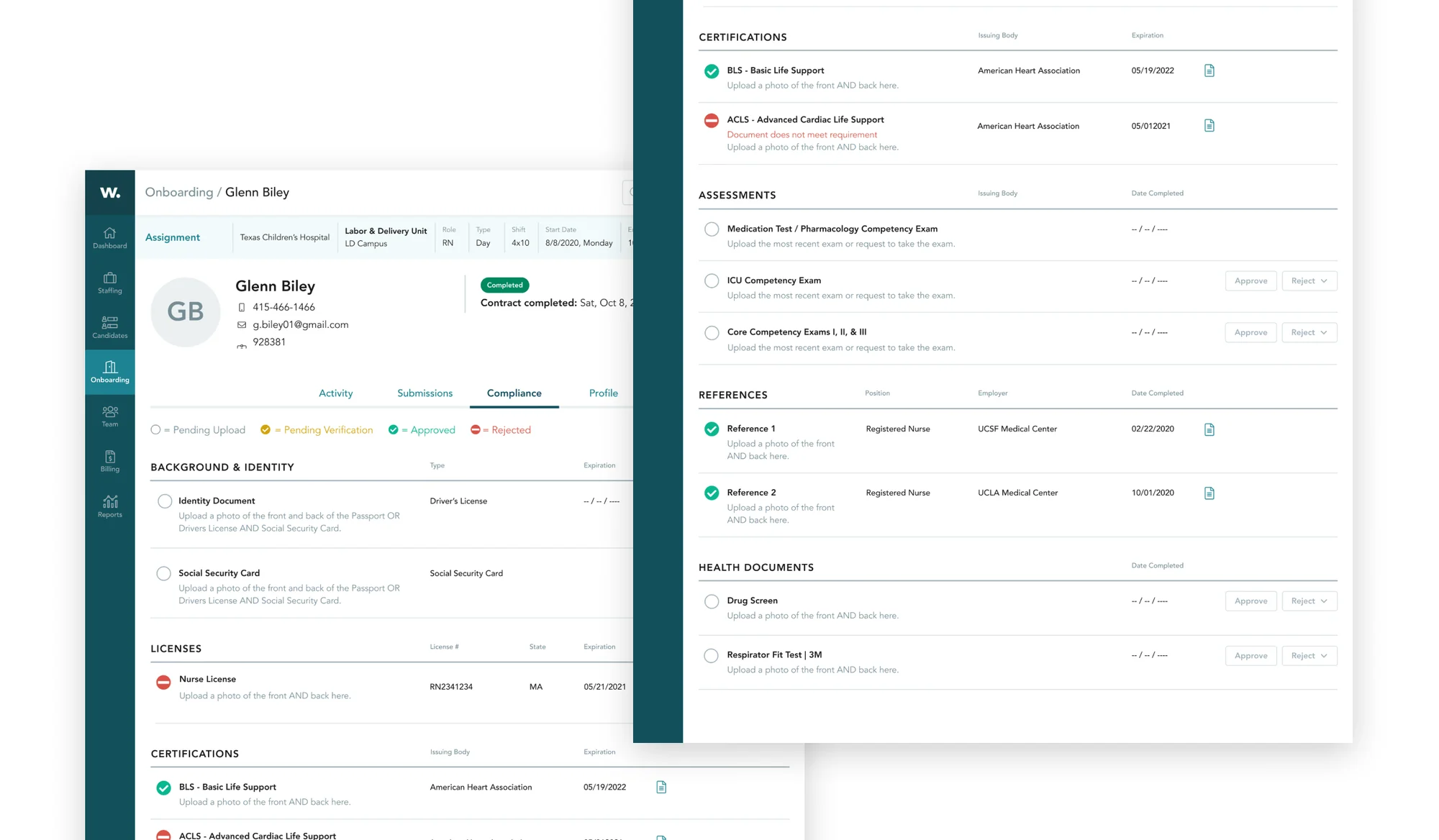
Supplier experience
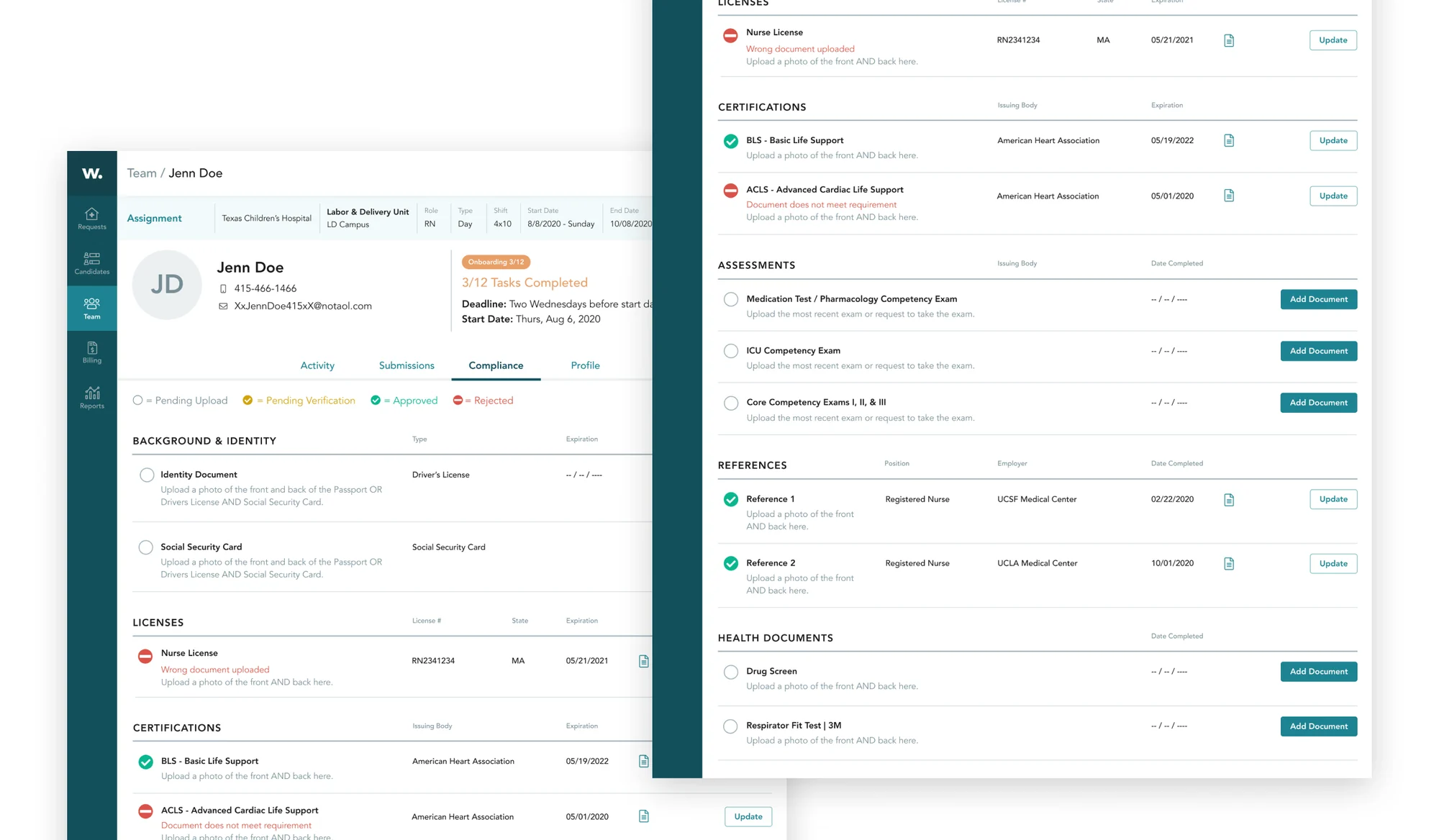
Below are the final screens that we shipped for the MVP supplier experience. Thankfully, before joining the Works team I had audited the Marketplace style guide and components, which I had translated into a separate visual system for Works.
Impact
We piloted Works v1.0 with Texas Children’s Hospital, Mercy Hospital systems, and Parkview in Indiana. After the pilot, we added two more designers to work on new features such as on-demand and billing. Once Mercy, our biggest client, signed a three-year deal I was given a new challenge to work on our marketplace platform, which included the mobile app.
5
Paying customers
$4.2M
Annual recurring revenue (ARR)